ERP systems

Stock, quotations, invoicing and reporting in one place.

Beirut & remote
Working worldwide

Inventory & stock Quotations Invoicing Reporting Roles & permissions Point of sale
BEFORE THE SYSTEM

The file that runs the company

There is usually one spreadsheet holding the business together. Stock levels live in it, or pricing, or the record of which quotation went to which client. One person understands its formulas. It has been emailed around enough times that nobody is completely sure which copy is the current one.

An ERP replaces that with a single system everyone works inside. Stock moves when something is sold. A quotation becomes an invoice without being retyped. The month-end report is a query someone runs, rather than an evening someone loses.

It is a real project and we will say so at the start. Half of it is agreeing how the business actually works, which is exactly why we scope it in writing before anyone quotes you.

What comes with it

Built around your operation, down to the exceptions you have stopped noticing. A few parts depend on the company, and those are marked.

THE DAILY WORK

What it runs

Stock that matches the shelfMovements recorded where they happen, so the number on screen is the number in the warehouse. Including the awkward parts: returns, transfers, damaged units, and the item that was promised twice.

Quotation to invoice, onceThe quotation becomes the order and then the invoice, carrying its own history. Nobody retypes a line item, so nobody mistypes one.

Purchasing and suppliersOrders out, goods in, and what each supplier actually charged you last time.

Your pricing rulesCustomer prices, tiers, currencies and the discount limits your business already applies by memory. Written down once, then applied by the system.

Documents that print properlyQuotations, invoices and delivery notes in your layout, with your logo, in the format your accountant will accept without redoing it.

Branches and warehousesOptionalSeveral locations with their own stock, moving items between them and still seeing one total.

Point of saleOptionalA counter screen with cash, card, printing and an end-of-day count, sitting on the same stock as everything else.

CONTROL AND NUMBERS

Who did what, and what it says

Roles that match the org chartWho can discount, who can see cost, who can reverse a transaction. Set per role and changeable by you.

Audit trailEvery change kept with a name and a time. This is the part you will care about the first time a number is disputed.

Approvals where they matterA discount past a limit, a price below cost, a stock adjustment. The system stops and asks the person whose decision it actually is.

Reporting on demandMargin, ageing, movement, whatever the person signing the cheques asks for on a Tuesday. Available without anyone preparing it first.

Everything exports to ExcelAny list, any report. The people who like working in a spreadsheet still get one, without going back to keeping it.

A screen for the ownerThe few numbers you check daily, on one page, without opening a report.

Arabic and EnglishOptionalBoth languages in one system, with the layout flipping where it should.

GETTING IT IN

Putting it to work

Scoped in writing firstHow your business really works, agreed on paper before anyone quotes a number. Half of an ERP project is this conversation, and skipping it is how these projects fail.

Your data comes with youThe spreadsheets, the item list, the customer file, the balances from the old system. Loaded and checked against what you had, so day one starts with real numbers.

On your server or oursSome companies need the system inside their own building. Both work, and it is your call.

Your team is trained on itThe people who will use it every day are walked through it, doing their own work, before it replaces anything.

Released in piecesThe part that hurts most goes live first. You do not wait a year to see anything, and nobody switches everything over on one Monday morning.

Someone answersWhen something breaks, you message the people who built it. You have their number from the first day.

Scheduled backupsOptionalTaken on a schedule and restored onto a test copy, so you know the restore itself works.

JOINED TO THE REST

Connected to what you already runOptional

Your accounting softwareInvoices and payments reaching the accountant's system without being typed a second time.

Your website or shopOrders arriving in the ERP and stock going back out, so the site never sells what is no longer there.

Payment and bank filesThe providers you take money through, and the file formats your bank expects.

The supplier who sends a CSVEvery company has one. The file gets read and loaded on arrival.

Messages that go out by themselvesThe invoice by email, the low-stock warning, the daily summary at closing.

An API for whatever comes nextAnother system, or an app, can read and write to the ERP without anybody exporting a file.

An ERP in production

In daily use by the company that owns it.

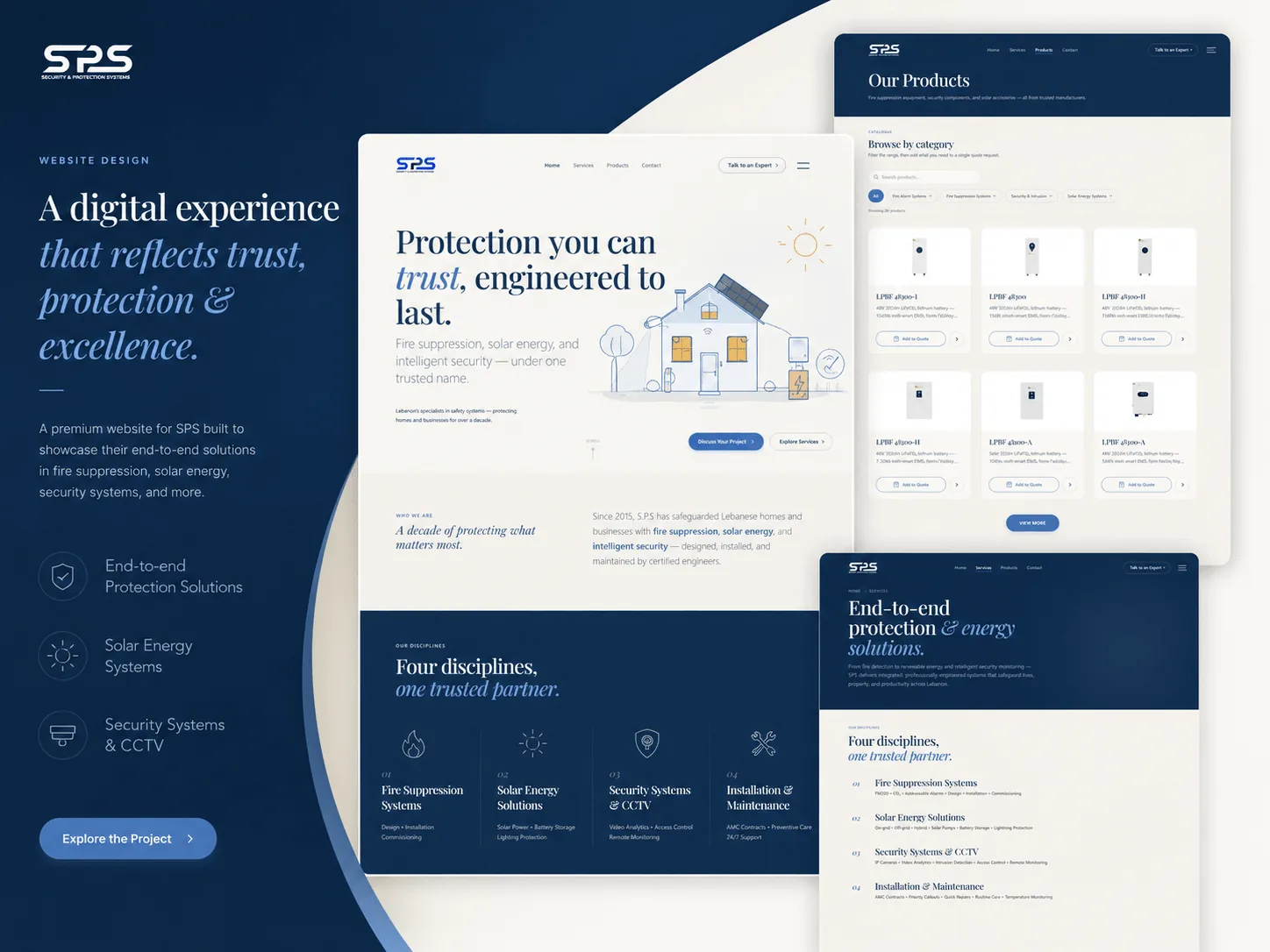
SPS security and solar engineering website and ERP
Engineering / B2B

SPS

A security and solar engineering firm runs its operation on this: stock, quotations, invoicing and reporting, with the public website sitting in front of it. Staff work inside the system every working day, and when something is wrong they message the developer who built it.

ScopeERP · Inventory · Quotes · Reporting SectorEngineering / B2B

What else we build

Most projects need more than one of these. It is the same team whichever you add, so nothing gets handed between companies on the way.

ERP systems

Tell us what you need.

Describe the goal. We will tell you what it takes and what you can skip.

Start a project